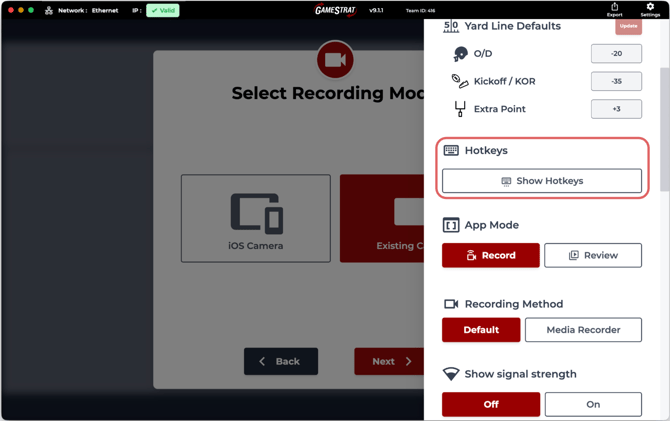
Open the Settings in the GameStrat laptop application and scroll to "Hotkeys"
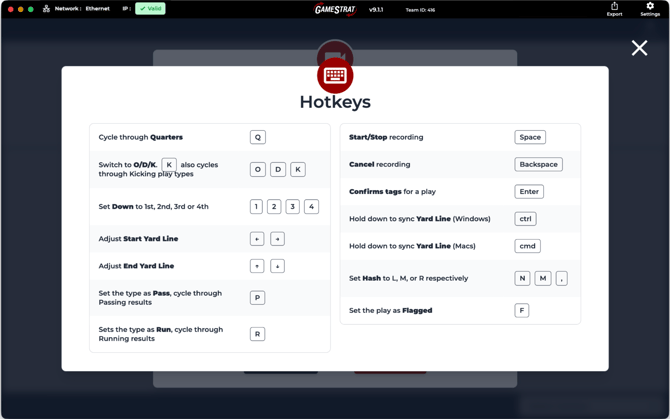
GameStrat's hotkeys let you tag a play entirely from the keyboard. Use space to start and stop recording, Q for quarter, 1–4 for down, O/D/K for ODK, arrow keys for yard line, and Enter to confirm. Keep pace with live action without reaching for the mouse.